
Kısa ve net kodShort, clear code
10 karakterlik BVG ID telefonda sesle söylemek, yazmak ve hatırlamak için tasarlandı. The 10-character BVG ID is built to say, type, and remember easily on a phone call.
Kendi 6 harfli Buvigo ID'nizi seçebileceksiniz — örneğin MEHMET 5634. Her kullanıcıya 1 adet kişisel ID hakkı. You'll be able to choose your own 6-letter Buvigo ID — for example ROBERT 5634. One personalized ID per user.
 Konum paylaşım platformu
Location sharing platform
Konum paylaşım platformu
Location sharing platform
Uygulamadan bulunduğunuz konumun BVG ID'sini oluşturup karşı tarafa sesle, WhatsApp veya mesajla paylaşın. Karşı tarafın Buvigo uygulaması yüklüyse verdiğiniz ID ile konumunuzu görür; yüklü değilse paylaşım linkiyle tarayıcıda görür. Create a BVG ID for where you are in the app, then share it by voice, WhatsApp, or message. If they have Buvigo installed, they see your location with that ID; otherwise the share link opens it in their browser.


Buvigo, konumunu tek bir kodla yönetmeni ve paylaşmanı sağlar. Uzun adres tarifi yerine 10 karakterlik BVG ID yeterli. Buvigo lets you manage and share a place with one code. Instead of long directions, a 10-character BVG ID is enough.
Konum paylaşmak için artık WhatsApp, Telegram gibi uygulamalara ihtiyacınız yok. Rehberinizde olmayan tanımadığınız kişilerle konum paylaşabilir ve konum takibini Buvigo'da yapabilirsiniz. Karşı taraf uygulama kullanmasa bile paylaşım linkiyle konumu tarayıcıda görür. Uygulama tamamen ücretsizdir. You no longer need WhatsApp, Telegram, or similar apps to share locations. Share with strangers not in your contacts and track locations in Buvigo. Even without the app, they can open your location in their browser. Buvigo is completely free.
10 karakterlik BVG ID telefonda sesle söylemek, yazmak ve hatırlamak için tasarlandı. The 10-character BVG ID is built to say, type, and remember easily on a phone call.
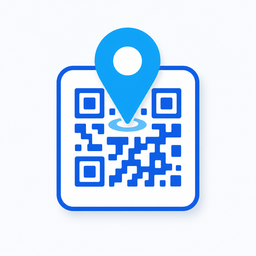
Uygulamadan BVG ID'yi sesle, WhatsApp veya mesajla paylaşın; link veya QR ile de iletebilirsiniz. Share your BVG ID from the app by voice, WhatsApp, or message — or send a link or QR code.
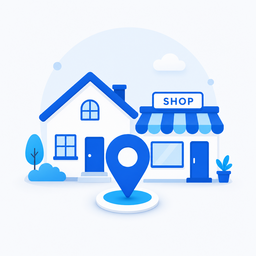
Ev, iş ve dükkan için kalıcı BVG ID oluştur; buluşma anları için geçici canlı konum kodu üret. Create permanent BVG IDs for home, work, and shop; generate temporary live codes for meetups.
Herkese açık, PIN korumalı veya onay modu — konumunu kimin göreceğine ve canlı konum takibine sen karar ver. Public, PIN-protected, or approval mode — you decide who can see each location and follow live updates.
Kayıt ol, BVG ID oluştur ve saniyeler içinde paylaş. Uygulama ücretsizdir; ek abonelik gerekmez. Sign up, create your BVG ID, and share in seconds. The app is free — no subscription needed.
Telefon numaranı gir ve SMS ile gelen doğrulama kodunu onayla. İlk girişte yasal metinleri onayla, kullanıcı adını ve profil bilgilerini tamamla. Enter your phone number and confirm the SMS verification code. On first sign-in, accept the legal terms and complete your username and profile.
Oluştur sekmesinde haritadan konumunu seç, bir etiket ver (Ev, Ofis, Dükkan…) ve 10 karakterlik BVG ID'ni oluştur. İstersen gizli tut; PIN veya onay moduyla paylaş. On the Create tab, pick your spot on the map, add a label (Home, Office, Shop…), and generate your 10-character BVG ID. Keep it private with PIN or approval mode if you prefer.
Oluşturduğunuz BVG ID'yi sesle, WhatsApp veya mesajla paylaşın. Karşı tarafın Buvigo uygulaması yüklüyse verdiğiniz ID ile konumunuzu görür; yüklü değilse paylaşım linkiyle tarayıcıda görür. Share your BVG ID by voice, WhatsApp, or message. If they have Buvigo installed, they see your location with that ID; otherwise the share link opens it in their browser.
Her konum için 10 karakterlik benzersiz kod: 6 harf + 4 rakam. Söyleyin, yazın, link veya QR ile paylaşmanız yeterli. A unique 10-character code for every place: 6 letters + 4 digits. Just say it, type it, send a link, or share via QR.
Market, park, iş yeri veya dükkan gibi herkese açık noktalar için bir kez oluşturun; istediğiniz kişiyle paylaşın. Arama ile doğrudan açılır. Create it once for a café, shop, office, or park — then share it with anyone. Opens directly from search.
Konumunuzu gizli tutun; yalnızca tanıdıklarınızla paylaşın. PIN ile koruyun veya siz onay vermeden kimse konumu göremesin. Keep your location private and share only with people you know. Protect it with a PIN, or require your approval before anyone can see it.
Konum paylaşmak için artık WhatsApp, Telegram gibi uygulamalara ihtiyacınız yok. Rehberinizde olmayan tanımadığınız kişilere konum paylaşabilir ve konum takibini Buvigo üzerinden yapabilirsiniz. Karşı taraf Buvigo kullanmasa bile paylaşım linkiyle konumu tarayıcıda görür. You no longer need WhatsApp, Telegram, or similar apps to share locations. Share with strangers not in your contacts and track locations in Buvigo. Even without the app, the share link opens the location in their browser.
Telefonda veya yüz yüze BVG ID'nizi söyleyin. Kısa, akılda kalır; acil durumda veya tanımadığınız birine konum tarif etmek yerine tek kod yeter. Say your BVG ID on a call or in person. Short and easy to remember — one code instead of describing where you are, even in an emergency.
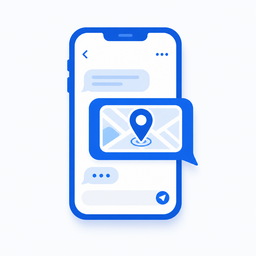
BVG ID veya paylaşım linkini WhatsApp, SMS veya mesajla iletin. Rehberinize eklemeden istediğiniz konumu paylaşın. Send your BVG ID or share link via WhatsApp, SMS, or message. Share any location without adding someone to your contacts.
Rehberinizde olmayan kişilerden konum alın veya onlarla konumunuzu paylaşın. Link tıklanınca konum tarayıcıda açılır. Receive a location from someone not in your contacts, or share yours with them. One tap opens the spot in the browser.
Acil durum kartına, kurye notuna, dükkan kapısına veya buluşma noktasına QR ekleyin; tarayan kişi anında konuma ulaşsın. Add a QR to an emergency card, delivery note, shop door, or meetup sign — anyone who scans reaches the spot instantly.
Uygulamadan istediğiniz konumun BVG ID'sini oluşturup sesle, WhatsApp veya mesajla paylaşın. Acilden kuryeye, buluşmadan dükkana — tek kod yeter. Create a BVG ID for any location in the app and share it by voice, WhatsApp, or message. From emergencies to deliveries, meetups to shops — one code is enough.
Uygulamadan acil başvuru ile konumunuzun Buvigo ID'sini talep edin; onay sonrası kodu itfaiye, ambulans veya polise iletin. Başvuruda kısa video doğrulaması istenir. Request an emergency Buvigo ID for your location in the app; after approval, give the code to ambulance, fire, or police. A short verification video is required.
Önemli: Buvigo resmi acil çağrı hizmeti değildir. Acil durumlarda 112 (itfaiye/ambulans) ve 155 (polis) numaralarını arayın. Important: Buvigo is not an official emergency service. In emergencies, call 112 (ambulance/fire) and 155 (police).
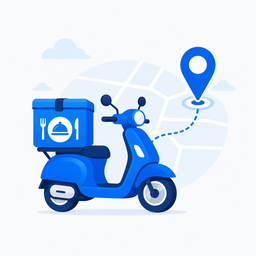
Kapınıza ait BVG ID'yi uygulamadan oluşturup sipariş notuna yazın veya WhatsApp ile kuryeye gönderin. İstediğiniz konumu paylaşın; kurye kapınıza gelsin. Create a BVG ID for your door in the app and add it to delivery notes or send it via WhatsApp. Share the spot you want — the courier reaches your door.
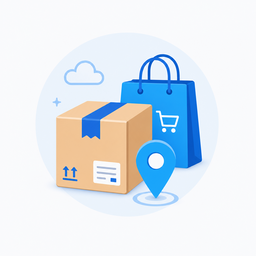
Kargo formuna uygulamadan oluşturduğunuz BVG ID'yi yazın veya link gönderin. İstediğiniz teslimat konumunu paylaşın; paket doğru kapıya gelsin. Enter the BVG ID you created in the app on the shipping form or send a link. Share the delivery spot you want — the package reaches the right door.

Festival, sahil veya parkta BVG ID oluşturup bulunduğunuz noktayı sesle söyleyin veya WhatsApp ile gönderin. İstediğiniz buluşma konumunu tek kodla paylaşın. At a festival, beach, or park, create a BVG ID and share your spot by voice or WhatsApp. Share the meeting point you want with a single code.
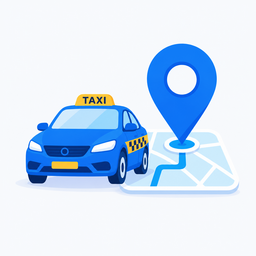
Sürücüyü beklerken BVG ID oluşturup telefonda sesle söyleyin veya mesajla iletin. İstediğiniz konumu paylaşın; sürücü sizi tam noktada bulur. While waiting, create a BVG ID and say it on the phone or send it in a message. Share the spot you want — the driver finds you at the exact point.
Ev, iş yeri veya dükkanınız için kalıcı BVG ID oluşturun; aile, müşteri veya misafirlere sesle, WhatsApp veya mesajla paylaşın. İstediğiniz konumu bir kez oluşturup herkese iletebilirsiniz. Create a permanent BVG ID for home, work, or your shop — share by voice, WhatsApp, or message with family, customers, or guests. Create the location once and share it with anyone.
Hayır. Buvigo'yu kullanmak ücretsizdir; uygulama içi satın alma veya abonelik yoktur.Yes. Buvigo is free—there are no in-app purchases or subscriptions.
10 karakter: 6 harflik alan + 4 rakam. Örnek: MARKET8024. Harf alanı 6 karakterden kısaysa kalan yer _ ile doldurulur.10 characters: 6-letter block + 4 digits. Example: COFFEE5021. Shorter letter blocks are padded with _ on the right.
Her kullanıcı en fazla 25 kalıcı Buvigo ID oluşturabilir. Bu sınır hizmet kalitesini korumak ve kötüye kullanımı önlemek içindir.Each user can create up to 25 permanent Buvigo IDs. This keeps service quality stable and helps prevent abuse.
Uygulamada (giriş yapmış kullanıcı) günlük Buvigo ID sorgulama limiti 500'dür. Kotanız Ara sekmesinde görünür; gece yarısı (UTC) sıfırlanır.In the app (signed-in users), the daily lookup limit is 500. Your quota is shown on the Search tab and resets at midnight UTC.
Giriş yapmadan web üzerinden günde en fazla 5 farklı Buvigo ID sorgulanabilir (IP bazlı). Aynı paylaşım linkine tekrar tıklamak kotadan düşmez. Limit dolduğunda ücretsiz uygulamada günde 500 sorgu hakkınız vardır.Without signing in, you can look up at most 5 different Buvigo IDs per day on the web (IP-based). Reopening the same share link does not use quota. When the limit is reached, the free app offers 500 lookups per day.
Herkese açık ID'ler arama ile doğrudan açılır. Gizli ID'lerde konum, PIN girilmeden veya siz onay vermeden görüntülenemez.Public IDs open directly from search. Private IDs require a PIN or your approval before the location is shown.
PIN modunda erişim için 4 haneli pin gerekir. Onay modunda istek size bildirim olarak gelir; kabul ettiğinizde karşı taraf konumu görür.PIN mode requires a 4-digit PIN to access the location. Approval mode sends you a request notification; the viewer sees the point only after you accept.
Evet. ID'lerim sekmesinden düzenleyerek haritada yeni konum seçebilirsiniz. Favorilerine ekleyen kullanıcılar güncel konumu görür.Yes. Edit it from My IDs and pick a new point on the map. Users who favorited it will see the updated location.
Evet. ID'lerim sekmesinden silebilirsiniz. Silinen kod başka bir kullanıcıya atanmaz. Paylaşımı geçici olarak durdurmak için silmek şart değildir; gizli mod veya PIN değişikliği de yeterli olabilir.Yes. Delete it from the My IDs tab. The code is not reassigned to another user. To pause sharing temporarily, private mode or a PIN change may be enough without deleting.
Canlı sekmesinden 10–120 dakika arası süre seçip kod oluşturun. Kodu alan kişiler anlık konumunuzu haritada izler. Süre dolunca veya siz durdurunca paylaşım biter.On the Live tab, choose a duration (10–120 minutes) and create a code. Anyone with the code can follow your live position until the timer ends or you stop sharing.
Buvigo ID oluşturmak, aramak, canlı paylaşım yapmak ve haritada konum göstermek için konum izni gerekir. İzin vermezseniz ilgili özellikler çalışmayabilir.Location permission is needed to create IDs, search, share live location, and show points on the map. Without it, those features may not work.
Ara sekmesinde QR simgesine dokunun, kamerayı koda tutun. Kod okunduğunda arama otomatik başlar ve nokta detayı açılır.On the Search tab, tap the QR icon and point the camera at the code. When scanned, search starts automatically and opens the detail screen.
Profilinizden «Hesabımı Sil» düğmesiyle hesabınızı kalıcı olarak silebilirsiniz. Silinen hesap ve Buvigo ID'ler geri alınamaz. Gizlilik Politikamızda saklama ve silme süreleri açıklanmıştır.You can permanently delete your account from your profile with the Delete My Account button. Deleted accounts and Buvigo IDs cannot be recovered. Retention and deletion details are in our Privacy Policy.